BetaCircle Setup Guide for Closed Testing apps
Version 1.0 | Last Updated: Dec 07, 2025
How to Add the BetaCircle Google Group as Testers in Closed Testing (Google Play Console)
Google Play allows you to use Google Groups as tester lists. This is extremely useful if you want many people to join your test without manually adding each email. In this case, BetaCircle works properly with app in closed testing only when each user has added our Google Group in the testers section.
Below is the step-by-step process.
📍Step 1 — Open Google Play Console
Select your app.
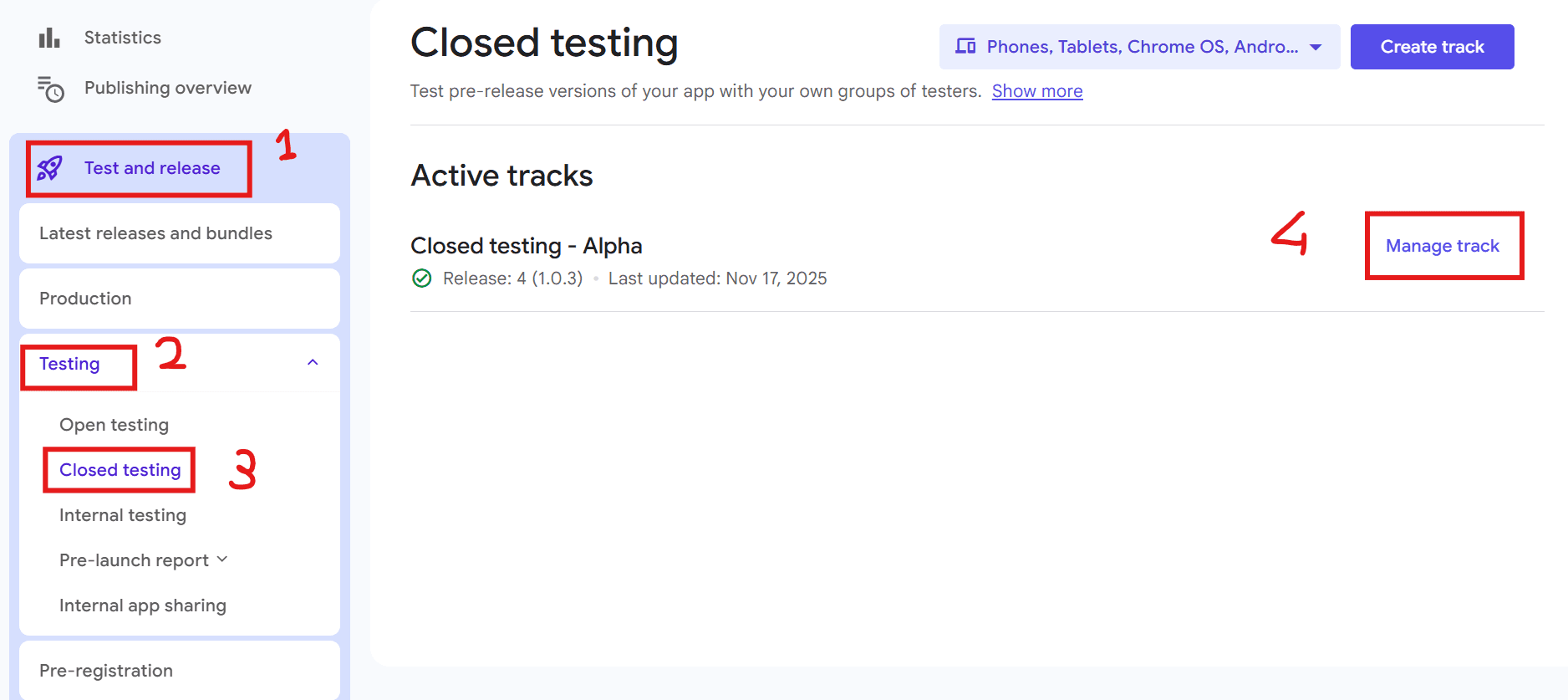
📍Step 2 — Go to Closed Testing
In the left sidebar, click Test and Release -> Testing.
Choose Closed testing.
Select your existing track or create a new one.
📍Step 3 — Open the “Testers” Section
Inside your closed testing track:
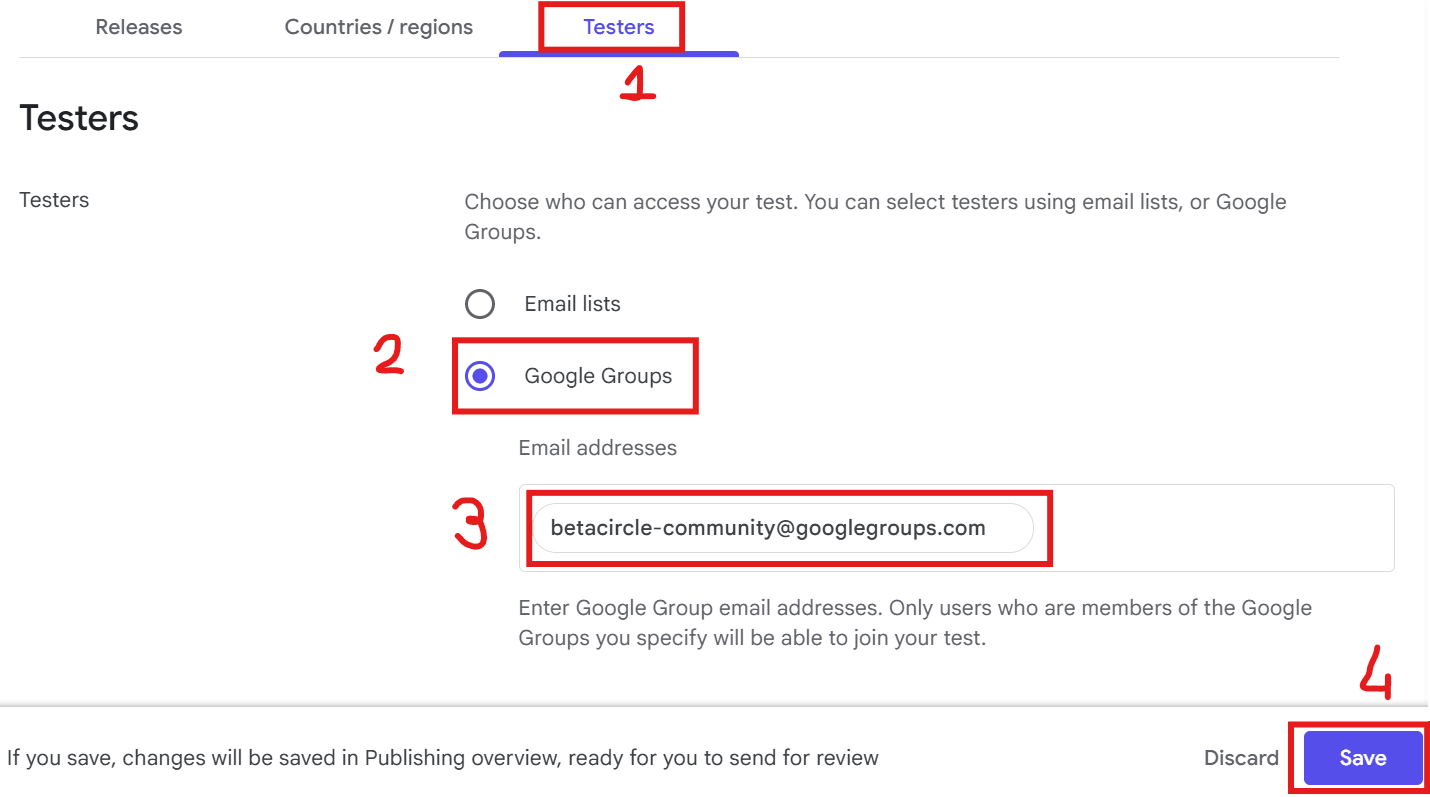
Choose the Testers tab.
You will see two choices:
Email list
Google Group
Choose Google Group.
📍Step 4 — Add the Google Group
You must enter the Google Group address exactly as it is.
👉 In the Google Group field, type:
betacircle-community@googlegroups.com
Then click Save.
📍Step 5 — Add all the countries (Optional)
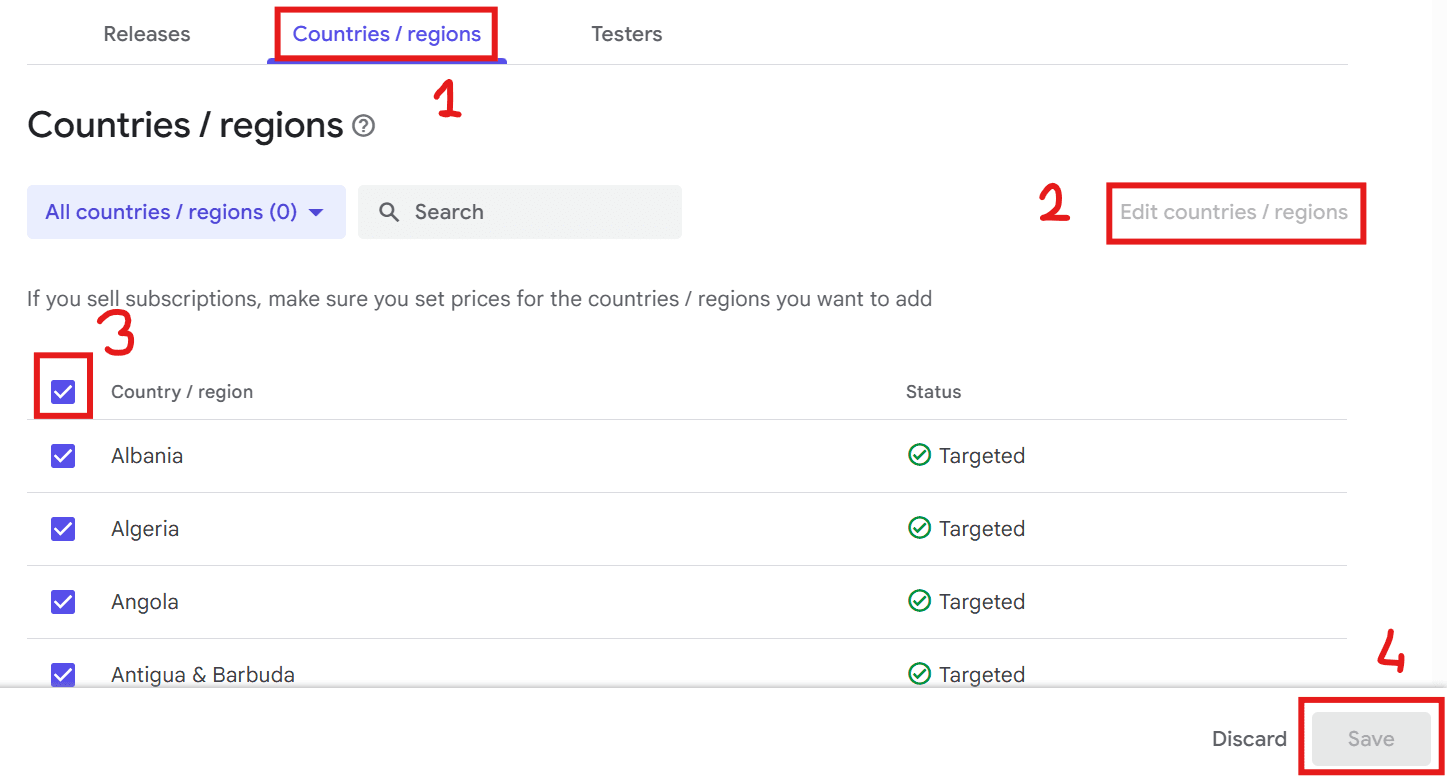
To increase the chances of attracting new users, it is recommended to add all countries to the testing phase:
Select the Countries / regions tab.
Tap Edit countries / regions.
Tap the checkbox to the left of the Country/region column (the first one in the top left corner).
Click Save.
📍Step 6 — Save the changes
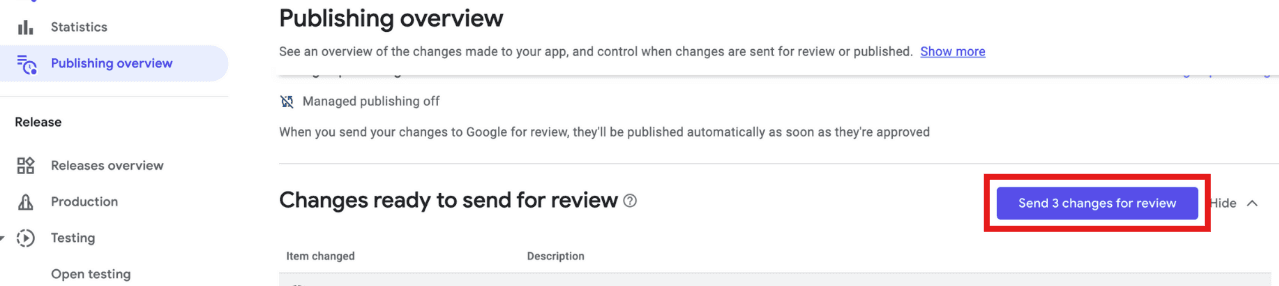
Return to Publishing Overview and Send changes for review.
Google may take up to 60 minutes to confirm the changes, but it often takes much less time.
If Managed publishing is set to off, the changes will be published automatically as soon as they are approved. If it is set to on, you will need to publish them manually when they are approved by returning to this screen.
🎉Done!
You have successfully added the BetaCircle Google Group as testers for your Closed Testing track.
Now you can use BetaCircle without any problems to find new testers for your app in Closed Testing. Remember that even once your app has been approved for Production, you can still use BetaCircle to increase the number of users.
If you have any doubts or questions about anything, feel free to write to us!